


Introduction
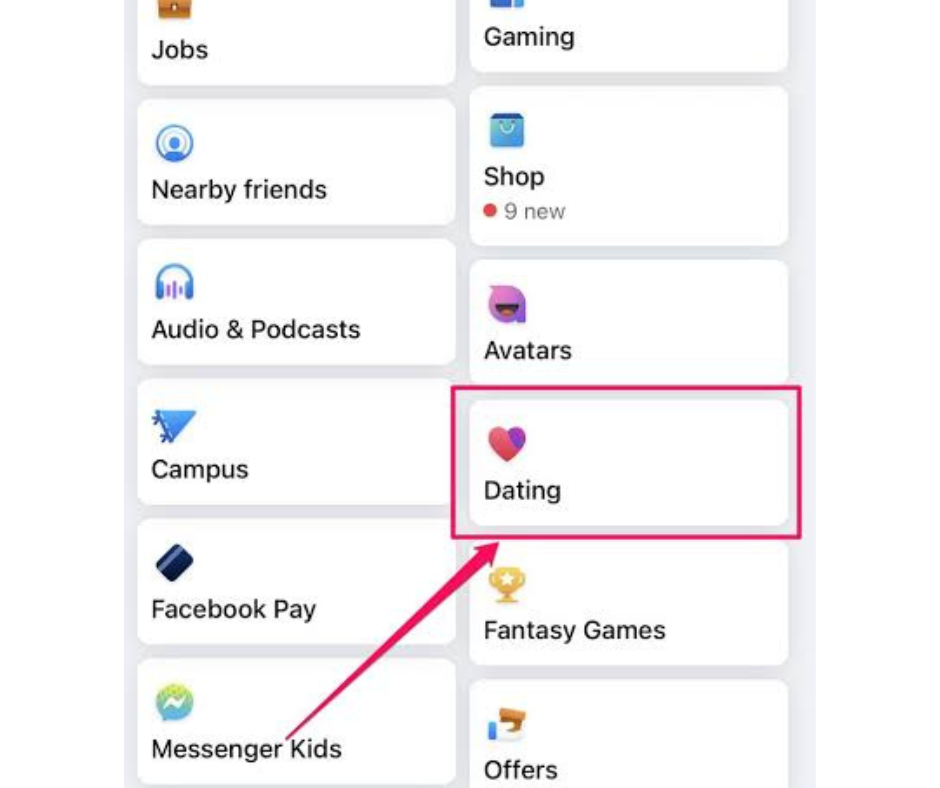
Facebook Dating, the social media giant’s venture into the world of online matchmaking, offers users a convenient platform to find romantic connections within their existing social network. However, some users may encounter issues where the Facebook Dating app stops showing up or becomes inaccessible. In this blog post, we’ll explore common reasons why the Facebook Dating app may disappear and provide practical solutions to recover it.
Understanding Facebook Dating
1. Integration with Facebook:
Facebook Dating is seamlessly integrated into the main Facebook app, offering users a dedicated space to explore potential matches based on shared interests, events attended, and mutual friends.
2. Opt-In Feature:
Users must opt into Facebook Dating to access the feature. Once enabled, users can create a separate dating profile and discover potential matches within their existing social network.
Reasons Why Facebook Dating May Stop Showing Up
1. Technical Glitches:
Occasionally, technical glitches or bugs within the Facebook app may cause the Facebook Dating feature to stop showing up or become temporarily inaccessible.
2. App Updates:
Updates to the Facebook app, including changes to the user interface or features, may affect the visibility of the Facebook Dating app.
3. Account Settings:
Changes to account settings or privacy preferences within the Facebook app may inadvertently impact the visibility of the Facebook Dating feature.
Steps to Recover the Facebook Dating App
1. Check for Updates:
Ensure that your Facebook app is up to date by checking for any available updates in the app store or Google Play Store. Installing the latest updates may resolve compatibility issues and restore access to the Facebook Dating feature.
2. Restart the App:
Sometimes, simply restarting the Facebook app can resolve temporary glitches or issues with the Facebook Dating feature. Close the app completely and relaunch it to see if the Dating feature reappears.
3. Review Account Settings:
Check your account settings within the Facebook app to ensure that the Facebook Dating feature is enabled. Navigate to the settings menu, select “Dating,” and ensure that the feature is turned on.
4. Clear Cache and Data:
Clearing the cache and data of the Facebook app can help resolve performance issues and restore functionality. Navigate to your device’s settings, select “Apps,” find Facebook, and clear the cache and data.
5. Reinstall the App:
If the Facebook Dating feature still does not show up after trying the above steps, consider uninstalling and reinstalling the Facebook app. This can help reset any underlying issues and restore access to the Dating feature.
Conclusion
While the Facebook Dating app offers a convenient platform for users to find romantic connections within their existing social network, issues may arise where the Dating feature stops showing up or becomes inaccessible. By understanding common reasons for this issue and following the practical solutions outlined in this blog post, users can troubleshoot and recover the Facebook Dating app successfully. Remember to stay patient and persistent when addressing technical issues, and don’t hesitate to reach out to Facebook support for further assistance if needed. With the right approach, users can continue to enjoy the benefits of Facebook Dating and explore meaningful connections with potential matches.