
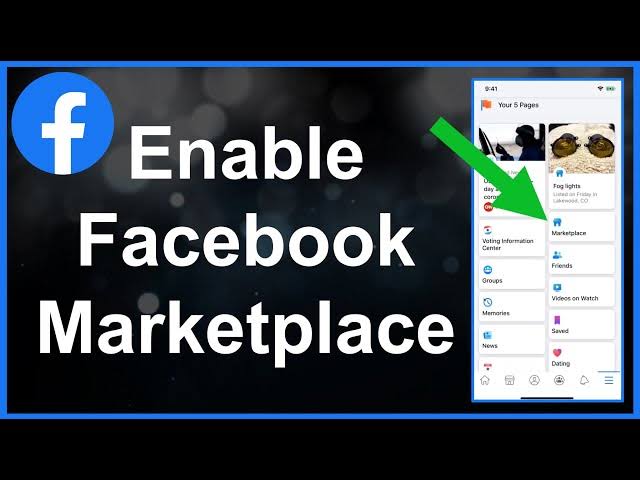


HOW TO ENABLE FACEBOOK MARKETPLACE
Facebook Marketplace has emerged as a popular platform for buying and selling goods within local communities. With its user-friendly interface and vast user base, Facebook Marketplace provides an excellent opportunity for individuals and businesses alike to reach potential customers. However, enabling Facebook Marketplace on your account may not always be straightforward. In this comprehensive guide, we’ll walk you through the steps to enable Facebook Marketplace, so you can start buying and selling with ease.
1. Ensure Eligibility
Before you can access Facebook Marketplace, it’s essential to ensure that you meet the eligibility criteria set by Facebook. Currently, Facebook Marketplace is available to users over the age of 18 who reside in supported countries. Additionally, you must comply with Facebook’s Commerce Policies to use Marketplace effectively.
2. Update Facebook App
Ensure that you have the latest version of the Facebook app installed on your mobile device. Facebook frequently releases updates with new features and bug fixes, including enhancements to Marketplace. Updating your app ensures that you have access to all the latest features, including Marketplace.
3. Check Account Status
Facebook Marketplace may not be available to all users due to various reasons, including previous violations of Facebook’s Community Standards or Commerce Policies. If you’re unable to access Marketplace, check if there are any restrictions or notifications on your account. Resolving any issues with your account status may help restore access to Marketplace.
4. Navigate to Marketplace
Once you’ve confirmed your eligibility and updated the Facebook app, navigate to Marketplace within the app. You can usually find Marketplace by tapping on the “Menu” icon (three horizontal lines) and selecting “Marketplace” from the list of options. Alternatively, you may find a dedicated Marketplace icon on the app’s home screen.
5. Review and Accept Terms
Upon accessing Marketplace for the first time or after an update, Facebook may prompt you to review and accept the Marketplace Terms of Service. Take the time to read through the terms carefully and ensure that you understand the guidelines for buying and selling on Marketplace. Once you’ve reviewed the terms, accept them to proceed.
6. Set Up Payment Method (Optional)
If you intend to sell items on Facebook Marketplace, consider setting up a payment method to facilitate transactions securely. Facebook offers various payment options, including PayPal and debit/credit cards, to process payments for goods sold on Marketplace. Setting up a payment method ensures a seamless buying and selling experience for both parties involved.
7. Create Listings
With Marketplace enabled, you can start creating listings for items you wish to sell. Take clear photos of your items, write detailed descriptions, and set fair prices to attract potential buyers. Be sure to adhere to Facebook’s Commerce Policies when creating listings to avoid any violations that may result in the removal of your listings or account restrictions.
8. Manage Listings and Interact with Buyers/Sellers
Once your listings are live on Marketplace, you can manage them directly from the Facebook app. Keep track of inquiries from potential buyers, respond promptly to messages, and arrange transactions in a safe and convenient manner. Building a positive reputation as a reliable seller or buyer enhances your credibility within the Marketplace community.
9. Stay Safe and Vigilant
While Facebook Marketplace provides a convenient platform for buying and selling goods, it’s essential to prioritize safety and vigilance. Exercise caution when interacting with unknown individuals, especially during in-person transactions. Meet in public locations, preferably during daylight hours, and consider bringing a friend or family member along for added security.
10. Report Suspicious Activity
If you encounter any suspicious activity or encounter users who violate Facebook’s Community Standards or Commerce Policies, report them to Facebook promptly. Reporting inappropriate behavior helps maintain the integrity of Marketplace and ensures a safe environment for all users.
In conclusion, enabling Facebook Marketplace opens up a world of opportunities for buying and selling goods within your local community. By following the steps outlined in this guide and adhering to Facebook’s guidelines, you can unlock the full potential of Marketplace and enjoy a seamless shopping experience. Remember to prioritize safety, integrity, and positive interactions to make the most of your Marketplace experience. Happy buying and selling!