
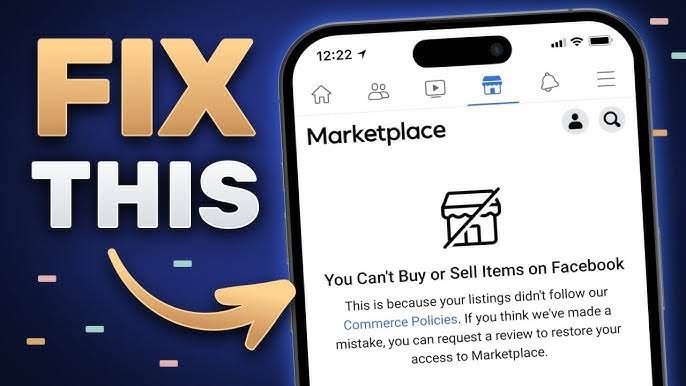


How to Fix the Error “You Can’t Buy or Sell on Facebook Marketplace”
In today’s digital age, online marketplaces have become a cornerstone of buying and selling goods and services. Facebook Marketplace, with its vast user base and convenient interface, has emerged as a popular platform for users to engage in commerce. However, like any online platform, users may encounter issues from time to time. One common issue that users may face is the error message “You can’t buy or sell on Facebook Marketplace.” This can be frustrating, especially if you rely on Facebook Marketplace for your buying and selling needs. In this blog post, we will explore some possible reasons why you might encounter this error and provide solutions to help you resolve it.
Understanding the Error
Before diving into the solutions, it’s essential to understand why you might be seeing the “You can’t buy or sell on Facebook Marketplace” error message. This error typically occurs when Facebook detects activity on your account that violates its Commerce Policies or Community Standards. Facebook has strict guidelines in place to ensure a safe and trustworthy marketplace for its users. Violating these policies can result in temporary or permanent restrictions on your ability to buy or sell on Facebook Marketplace.
Common Reasons for the Error
There are several reasons why you might be experiencing this error:
1. Violation of Commerce Policies: If you have violated Facebook’s Commerce Policies, such as selling prohibited items or engaging in fraudulent behavior, your account may be restricted from buying or selling on Facebook Marketplace.
2. Community Standards Violation: Facebook’s Community Standards outline what is and is not allowed on the platform. If your account has been flagged for violating these standards, you may be restricted from using Facebook Marketplace.
3. Account Review: In some cases, Facebook may restrict your account from buying or selling on Marketplace while it conducts a review of your account activity. This review process is to ensure compliance with Facebook’s policies and standards.
4. Technical Issues: Occasionally, technical glitches or bugs within the Facebook Marketplace platform can result in errors preventing users from buying or selling.
Steps to Fix the Error
Now that we understand some possible reasons for encountering the error, let’s explore steps to resolve it:
1. Review Facebook’s Policies and Standards: Start by reviewing Facebook’s Commerce Policies and Community Standards to ensure that your account and listings comply with all guidelines. Make any necessary changes to your account or listings to bring them into compliance.
2. Appeal a Restriction: If you believe your account was restricted in error, you can appeal the decision through Facebook’s support channels. Provide any relevant information or documentation to support your appeal.
3. Wait for Review: If Facebook has placed a temporary restriction on your account pending a review, you may need to wait until the review process is complete. This process can take some time, so be patient.
4. Contact Support: If you continue to experience issues with buying or selling on Facebook Marketplace, reach out to Facebook’s support team for assistance. They can provide further guidance and troubleshoot any technical issues you may be encountering.
5. Check for Technical Issues: If the error persists, it’s possible that there may be technical issues with the Facebook Marketplace platform itself. Check for any reported outages or bugs and wait for Facebook to resolve them.
Conclusion
Encountering the error message “You can’t buy or sell on Facebook Marketplace” can be frustrating, but it’s essential to understand why it’s happening and take steps to resolve it. By reviewing Facebook’s policies, appealing any restrictions, and seeking assistance from Facebook’s support team, you can work towards fixing the error and getting back to buying and selling on Marketplace. Remember to always conduct your transactions responsibly and in compliance with Facebook’s guidelines to maintain a safe and positive experience for yourself and other users.